
Special Feature
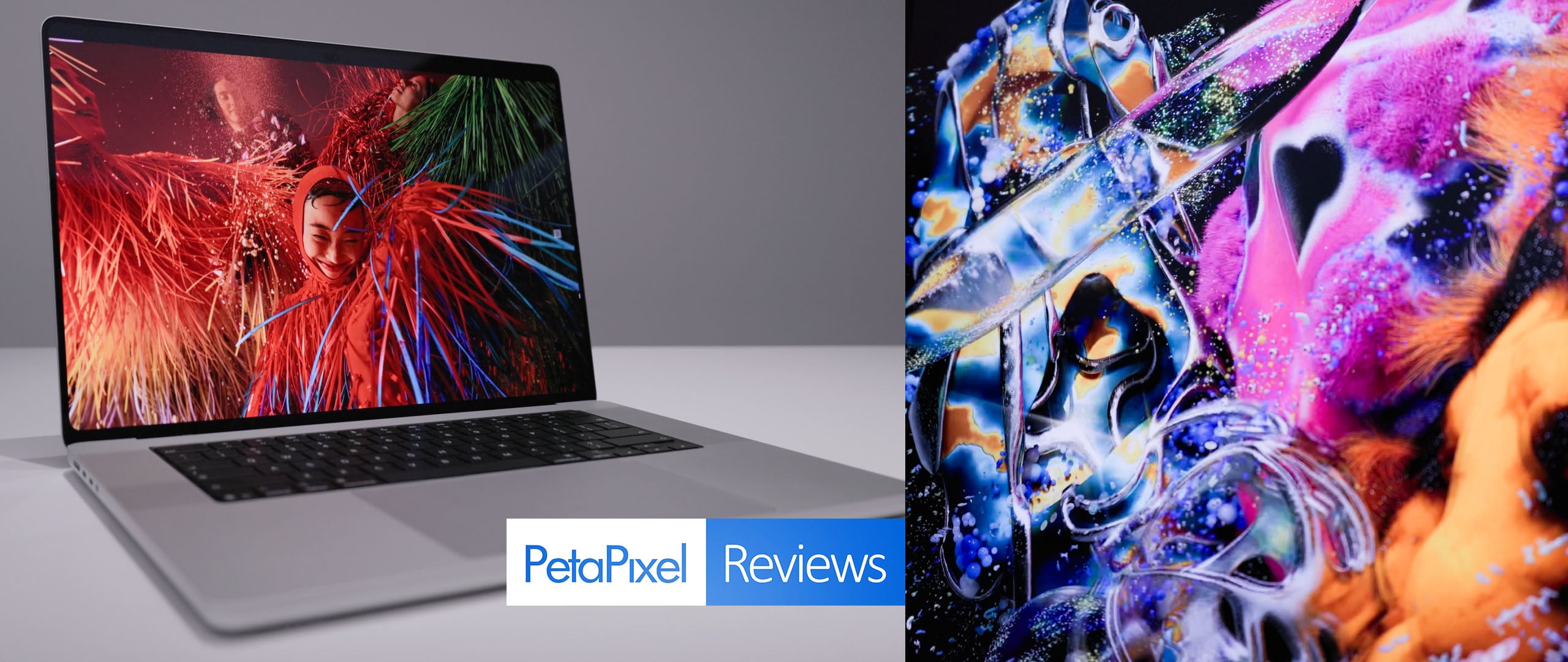
Apple M5 Max MacBook Pro with PROLED XDR Review: Don’t Touch It
Apple’s new, highest-end MacBook Pro diverged from the last few launches in that it didn’t focus on performance at all, but rather leaned on a feature the company famously said would never come to macOS: touch control. I get why Apple did this, but touch isn’t at all a reason to get this computer. But to be clear, that doesn’t mean you shouldn’t get this computer. Quite the opposite, in fact.


Setting aside touch capability, Apple's tandem OLED application here results in the best display I've ever tested, full stop. That alone is worth the $400 premium.
Pros
- Smaller and lighter without losing screen size
- No performance differences vs standard version
- A spectacular, color-accurate, perfect display
- Improved speakers
- Excellent battery life
Cons
- None
As Marques Brownlee pointed out in his day-of reaction video, Steve Jobs said that while touching a laptop screen makes for “a great demo,” it isn’t a feature that most people will actually use every day and those who want to will find themselves fatigued by the ergonomics of the action rather quickly.
And it does make a great demo: that was the focus of Apple’s entire press event in Los Angeles last week. But just because you can touch the display of the new MacBook Pro doesn’t mean you will want to, or even should. I’m quite likely to largely ignore the feature (in fact, I will barely mention it at all in this review), while also lamenting that the device that could actually use macOS with touch control continues to not get it. But I digress.
Apple likely went with the touch aspect because the real reasons to pay the $400 premium for this version of the M5 Max MacBook Pro weren’t worth an event, and the Ternus-led Apple wanted to make a splash. The average computer buyer isn’t going to run to social media to discuss OLED panels and a size and weight reduction. But real users? For them, those are the actual reasons to buy this computer and make that slight price bump entirely worth it.
Apple M5 Max MacBook Pro with PROLED Review: Performance
Shifting up the order of how we typically do things here in computer reviews, I’m going to start with performance because it’s the area of this computer that has not changed at all compared to the M5 Max MacBook Pro I reviewed in March.
I ran the same benchmark tests on this PROLED version and found statistically insignificant differences between the two computers. I’m not even going to post those results here because they’re virtually the same. If you’re curious how a MacBook Pro chassis handles the M5 Max, then I encourage you to read my review from earlier this year.
What is more important than the fact that this computer has identical performance to the computer that came out in March is that it’s getting that same performance despite a slightly smaller overall form factor and a significant drop in weight. I understand that it requires way more words to convey that thought than “you can touch it,” but this advancement is absolutely worth it, especially for photographers who travel with this computer tucked into a bag they carry on their shoulders.
With performance unchanged, let’s instead focus on what is different and why it might matter to you.
Apple M5 Max MacBook Pro with PROLED Review: Design and Build Quality
As mentioned, Apple made some subtle changes to the chassis of this version of the MacBook Pro. Notice I didn’t say “minor changes,” and that was on purpose. While they are, at first glance, slight, the effects are not minor.
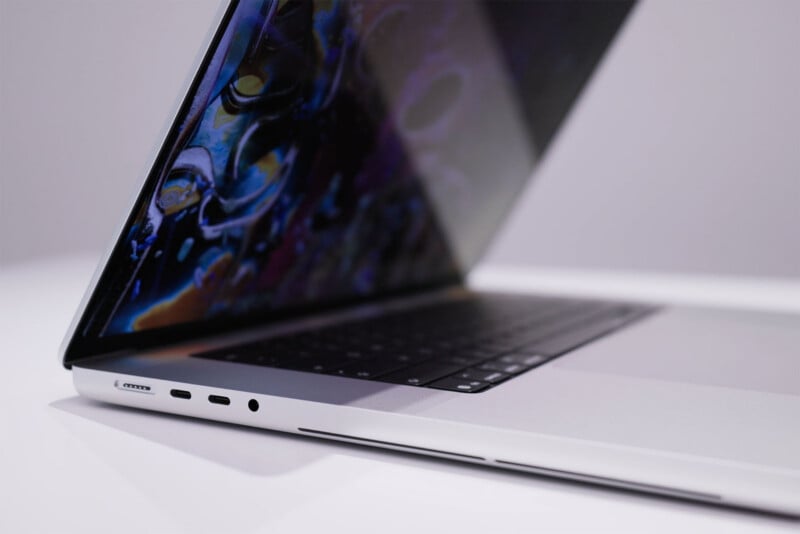
Apple did not remove any of the ports on this version of the computer, leaving all three Thunderbolt 5 ports, an SD card reader, full-size HDMI, 3.5mm headphone jack, and MagSafe charging port. Just like with performance, you sacrifice nothing here by selecting the smaller and lighter build.
Going with the thinner tandem OLED panel versus the previous LCD panel allowed for, as mentioned, a notable weight reduction. The 14-inch model is 15% lighter at three pounds while the 16-inch model (the one I’m using for this review) is 15% lighter at four pounds. Both versions are also thinner at 1.50 centimeters and 1.60 centimeters, respectively.
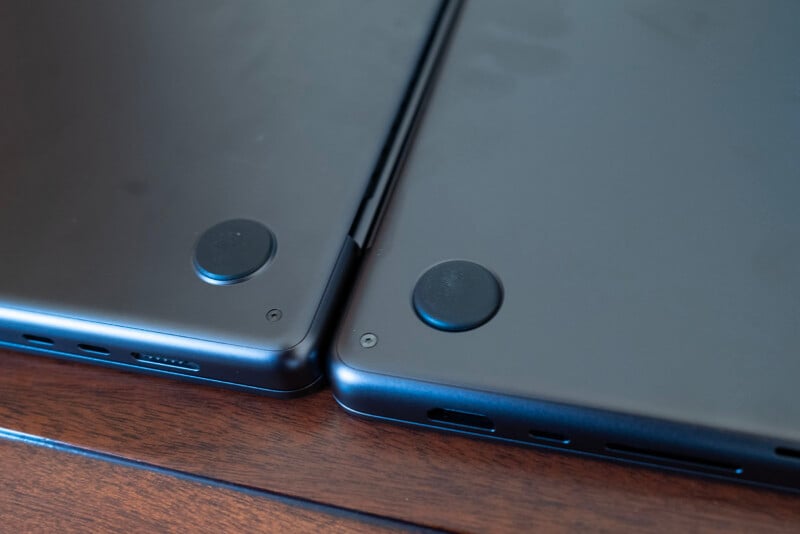
The four “feet” on the bottom of the laptop are slightly different as well. They feel like they’re made from the same material and do an equally good job of preventing unwanted slipping on slick surfaces; they are just inset and rounded on the edges as opposed to raised on the aluminum surface and flat.
When you look at this new PROLED model side by side with what I’ll call the “standard” model, you’ll also notice that the display is shorter now, and that’s due to the removal of the bezel at the bottom of the display. The corners are all rounded now, instead of having sharp corners at the bottom and rounded corners at the top, which Apple seems to have done just for the sake of consistency here. The actual display area is larger, with the 16-inch model coming in at 16.3 inches, while the 14-inch is 14.2 inches.
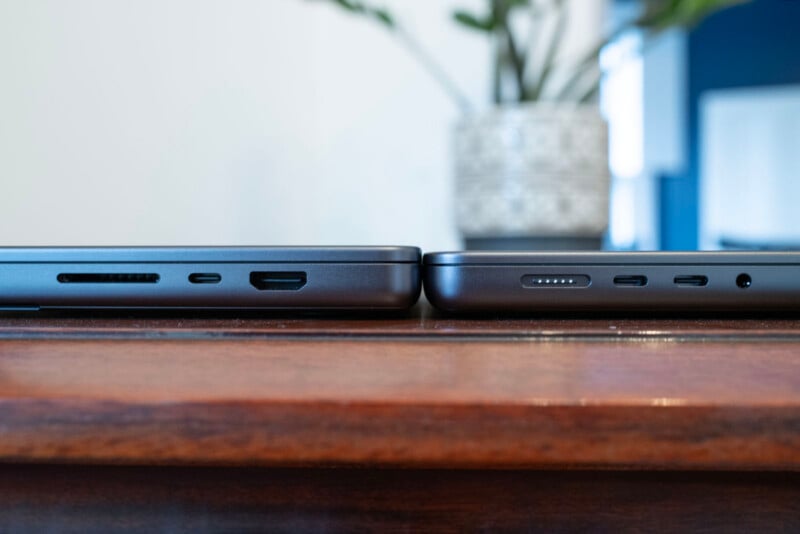
What you can’t necessarily see is Apple’s redesigned thermal system. The only evidence that anything has changed is a slightly different, split exhaust port design on the PROLED model. But Apple says there is a lot different on the inside to compensate for the smaller chassis. Given that I cannot see a statistically significant difference in performance between the previous model and the PROLED model, I would say whatever Apple did to mitigate heat was successful.
Another change is the speaker system, which, sure, is better. I think the low end got a very slight boost and yes, it does sound better than it used to when the lid is closed. All that said, the bar for quality was already quite high. MacBook Pro speakers have sounded very, very good for several years now. Unless you’re really craning to hear it and you’re comparing them side by side, you probably would just say, “the speakers sound nice.”
I want to talk a bit about battery life because, as before, it’s pretty impressive. Apple quotes up to 22 hours of video streaming and 14 hours of wireless web browsing on the 14-inch version while the 16-inch version bumps that up slightly to 24 hours of video streaming and 17 hours of web browsing.
Those aren’t particularly useful numbers to me, so I instead wanted to see how well it handled under load. I ran all of the performance benchmarks I mentioned above off battery power and, as is our standard practice, ran all those benchmarks twice. That process took the better part of two hours and really taxed the machine’s CPU, GPU, and fan, resulting in 48% battery when all was said and done. That’s pretty good.
Rounding out the specs, the MacBook Pro with PROLED has Wi-Fi 7, Bluetooth 6, and can support up to two Studio Display XDR monitors at full 5K resolution and 120Hz refresh rate over a single Thunderbolt 5 connection. The M5 Pro model can support up to a total of three displays while the M5 Max can support up to four.
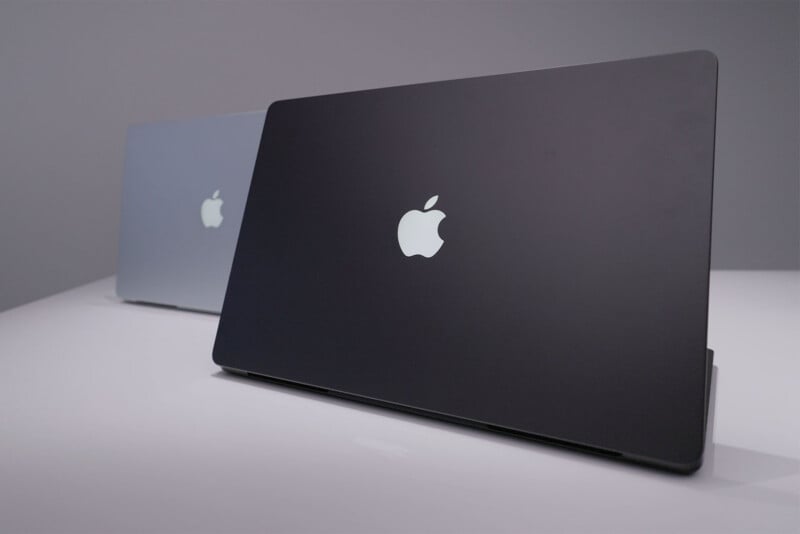
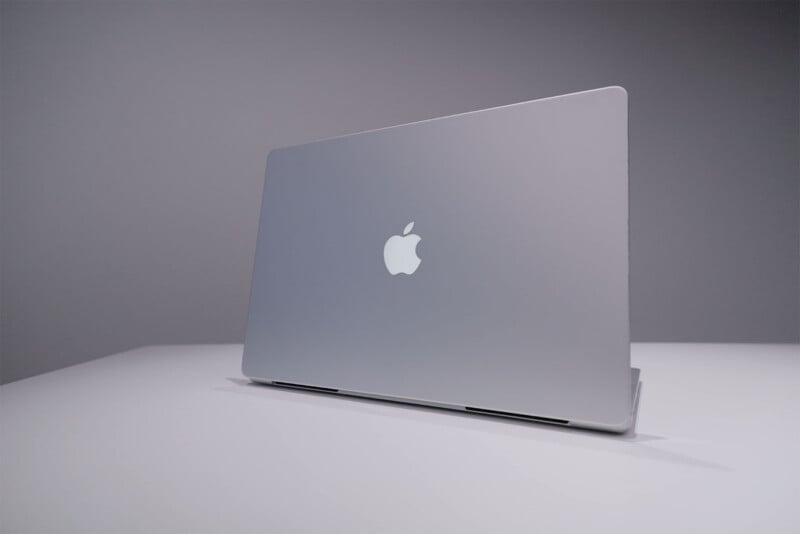
Oh, and I guess I would be remiss if I didn’t mention that the Apple on the back of the computer glows again. I am fully aware this is entirely meaningless in the grand scheme of things, but I’d be lying if I said this wasn’t cool. I’m glad it’s back, and Apple had to actually go out of its way to add it here since an OLED panel has no backlight, so it isn’t just a happenstance of cutting out a chunk of the backlight backing. Apple had to go in there and put in a specific LED panel to light up the apple, and darn it, I like it. Sue me.
Apple M5 Max MacBook Pro with PROLED Review: Display
A Bit of Background on Apple’s Tandem OLED
OLED, or organic light-emitting diode, technology produces better colors and contrast ratios than LCD (liquid crystal displays) because each pixel can be individually controlled. Beyond that, each pixel can be turned on and off, so blacks can appear truly black, as there is no light being emitted from those pixels. That means OLED displays, including Apple’s tandem OLED found in the PROLED MacBook Pro, have a 10,000,000:1 contrast ratio with true black levels and no backlight blooming or haloing artifacts around bright objects.
The PROLED display on this MacBook Pro is not Apple’s first use of the technology: that came with the 11-inch and 13-inch iPad Pro tablets released back in 2024. Apple mentioned that it didn’t immediately bring this technology over to the MacBook — or any other display in its line — because as the display gets larger (in this case, 16-inches), it becomes substantially more difficult to produce a consistent panel.
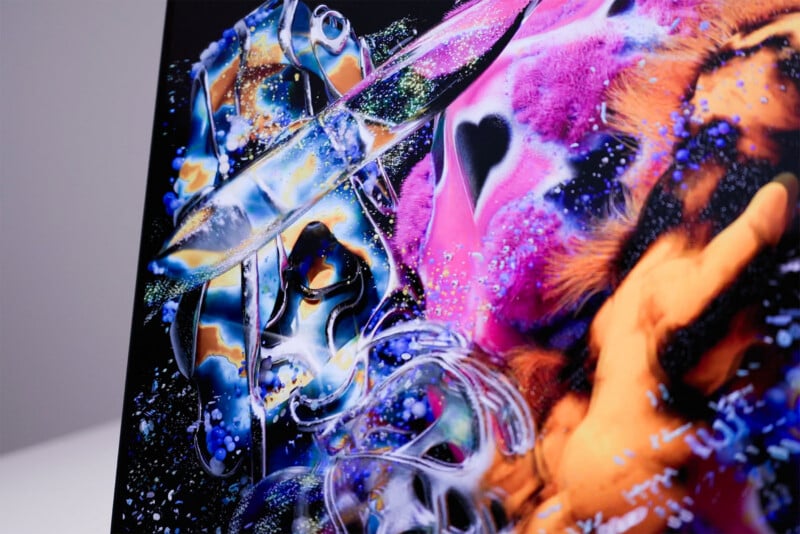
As a bit of a recap, tandem OLED stacks two electroluminescent-emitting layers that share the current load. The result is reduced stress per layer, yielding higher peak brightness, improved power efficiency, and extended panel longevity compared to single-layer OLEDs. Reading through Apple’s PROLED White Paper, the company says that it is able to get the results this panel produces because of the pairing of hardware and software: hardware-integrated in Apple silicon, the display engine executes real-time compensation algorithms based on real-time content, individual pixel usage history, temperature sensors, and ambient lighting.
To prevent what is colloquially called burn-in (OLEDs don’t actually do this the same way that Plasma panels do, but it’s the best term to describe what people are seeing), the display engine performs active per-pixel uniformity compensation from 1 nit to 1,000 nits and continuously adjusts drive signals.
OLED has excellent viewing angles, too, and Apple rates an 89-degree viewing angle in all directions with minimal off-axis color shift or contrast dip.
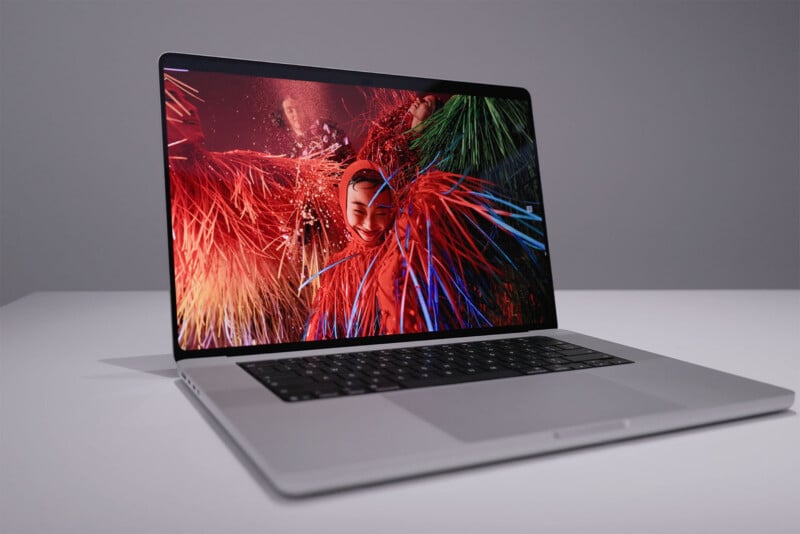
The PROLED display can also reproduce over a billion colors and do so accurately. This particular display is also quite bright, which was one of OLED’s drawbacks in its early days. By stacking two panels together, Apple was able to push 1,000 nits of full-screen brightness in SDR and HDR, but up to 2,000 nits peak HDR brightness with four stops of extended dynamic range headroom relative to standard dynamic range. In short, this display is not only extremely color accurate, it also has an incredible contrast ratio and outstanding brightness.
That’s all on paper, though. Real life? That could be a different story.
But Is It Good?
As a note, my review unit was not equipped with Apple’s Nano Texture. When I looked at these two options side by side last week, I said to myself that I probably wouldn’t pick Nano Texture on this particular model, which is a shift for me from previous years. I typically like the matte display and Apple’s Nano Texture is excellent at rejecting reflections. The thing is, this particular display without Nano Texture is pretty good at blocking them as well. Yes, you will see them, but they’re not overly distracting. I also think that if you’re going to get an OLED panel, you don’t want to do anything that might reduce the perfect contrast that OLED affords you.
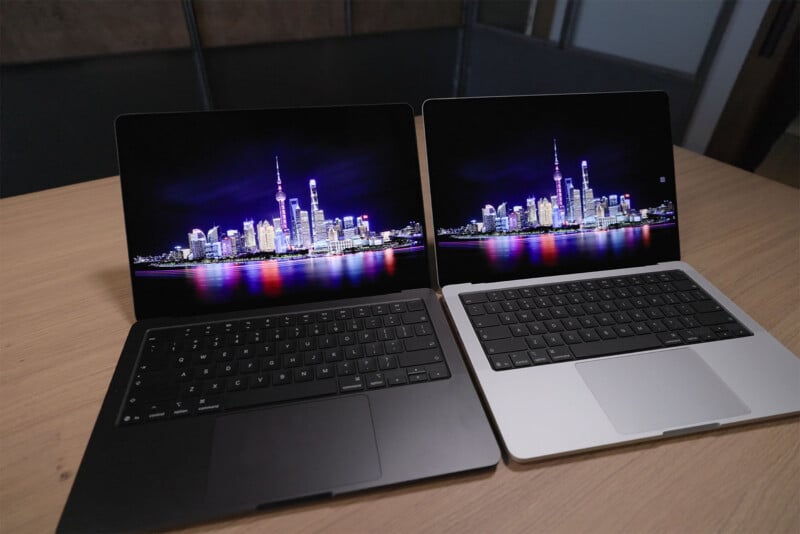
Head-on, I couldn’t tell the difference between these two displays when it comes to contrast. However, at an angle, the Nano Texture did degrade it just a little bit. I will rarely be looking at this display at any angle other than head-on, but seeing that was enough for me to want to forgo it this time.
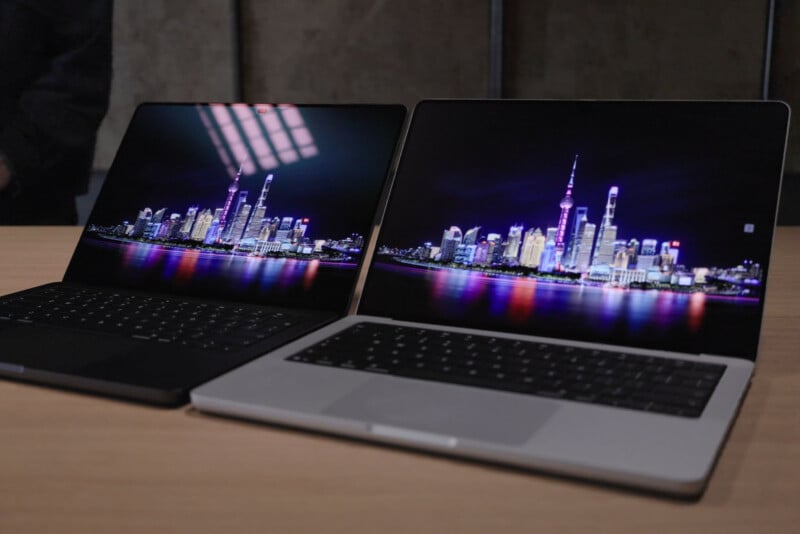
While yes, you can touch this display, that’s not why I think it’s special. When I first saw it in person last week, I knew it was going to be good. What I did not know was that this would be the best display I, or another one of my long-time colleagues, has ever tested.
Apple never promised any gamut coverage in its keynote and even the white paper about this display doesn’t call out sRGB, Adobe RGB, or Display P3 gamut coverage promises. The only number it specifically states is 81% of BT.2020. That number doesn’t mean anything to me, since I live in a world of the “big three” as I call them, so I had to test it for myself.
I ran a display test twice: once with default settings and again after shifting over specifically to the Photography display setting. This is similar to the test I ran when I reviewed the Studio Display XDR. I ran this test at maximum brightness.
Firstly, let’s look at the default color settings. In this mode, the display leans a little heavier on the blues and the reds, while the greens take a slight step back by comparison.
The results are very good. This display hits 137.1% of sRGB, 94.5% of Adobe RGB, and 97.1% of DCI P3 color gamuts with an average Delta E of around 1, which is outstanding. I think if this was the best the display was capable of, I would be very happy. This is a notable step up from the standard display and is better than the Studio Display XDR.
But I had only begun to see how good this display is.
I shifted over to the Photography (P3-D65) setting and re-ran the test. When you select this option, the display resets, locks brightness (it’s much lower than peak 1,000 nits, but is still plenty bright) and it outputs an inversion of the last test: stronger greens with slightly less emphasized reds and blues. The Studio Display XDR does the same thing, and I expected similar results (that is to say, good but nothing unexpected). Instead, I was treated to the best results I’ve seen across any display I’ve reviewed.
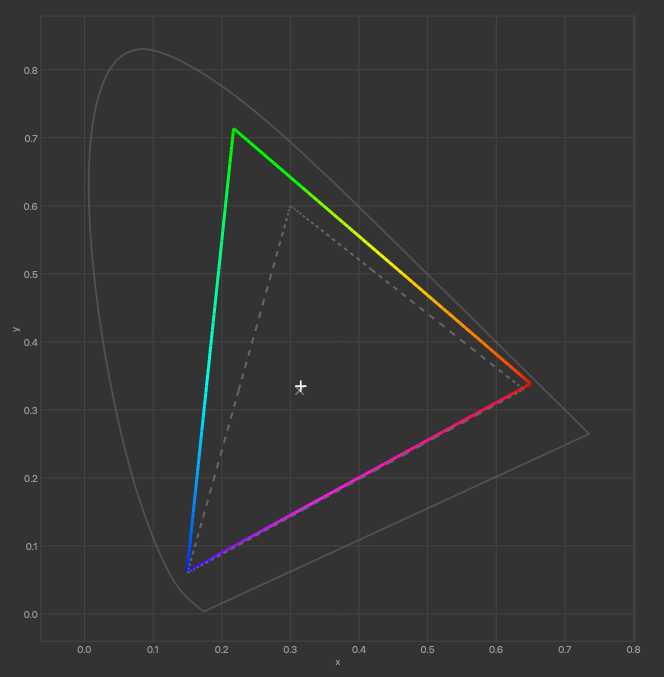
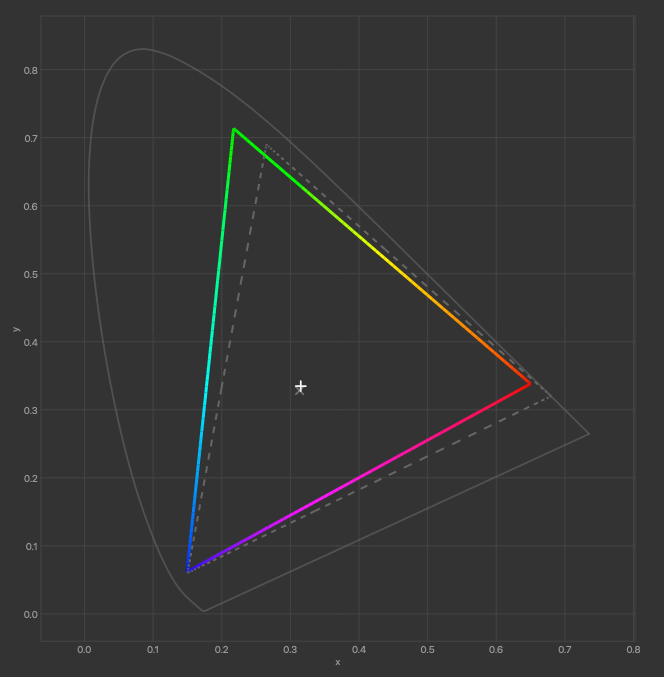
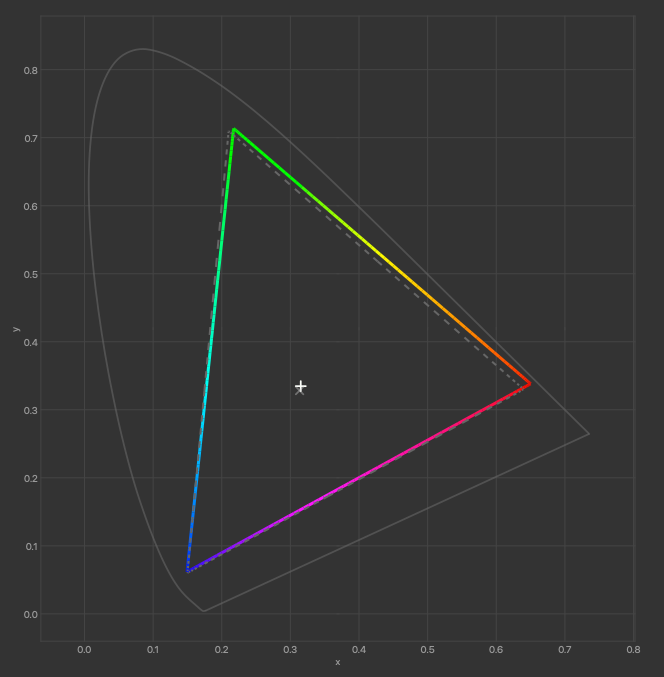
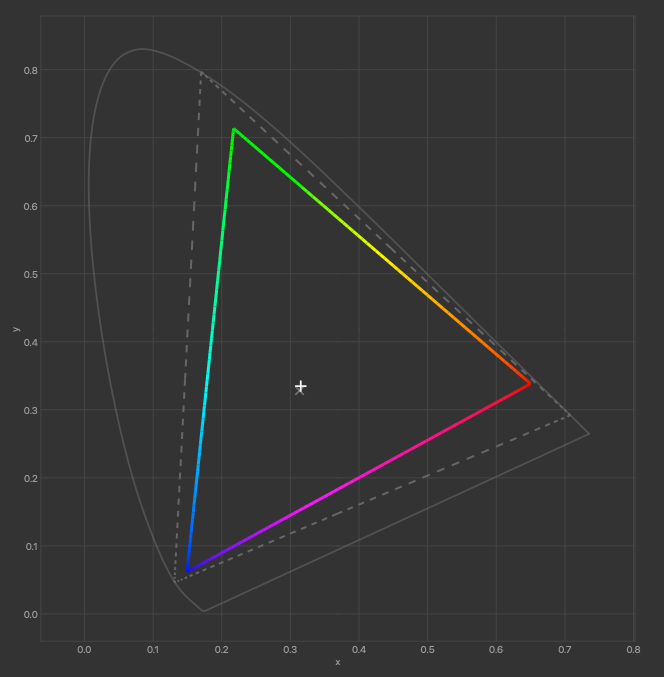
The PROLED display hits 148.5% of sRGB, 102.3% of Adobe RGB, and 105.2% of DCI P3 with an average Delta E of 1.08. I have never tested any display — monitor or television — that scored better than 100% coverage in all three of these gamuts. I talked to an industry colleague and he went back through his years of tests and found that he hadn’t either. The best he had previously seen was 100%, 100%, and 99%, respectively. Even as a famous Apple skeptic, he had to give his kudos.
Stacking on top of this impressive result is the fact that this display is remarkably consistent. Panel uniformity evaluation showed pristine performance from edge to edge, top to bottom in our standard 9×5 uniformity test. This panel is flawless.
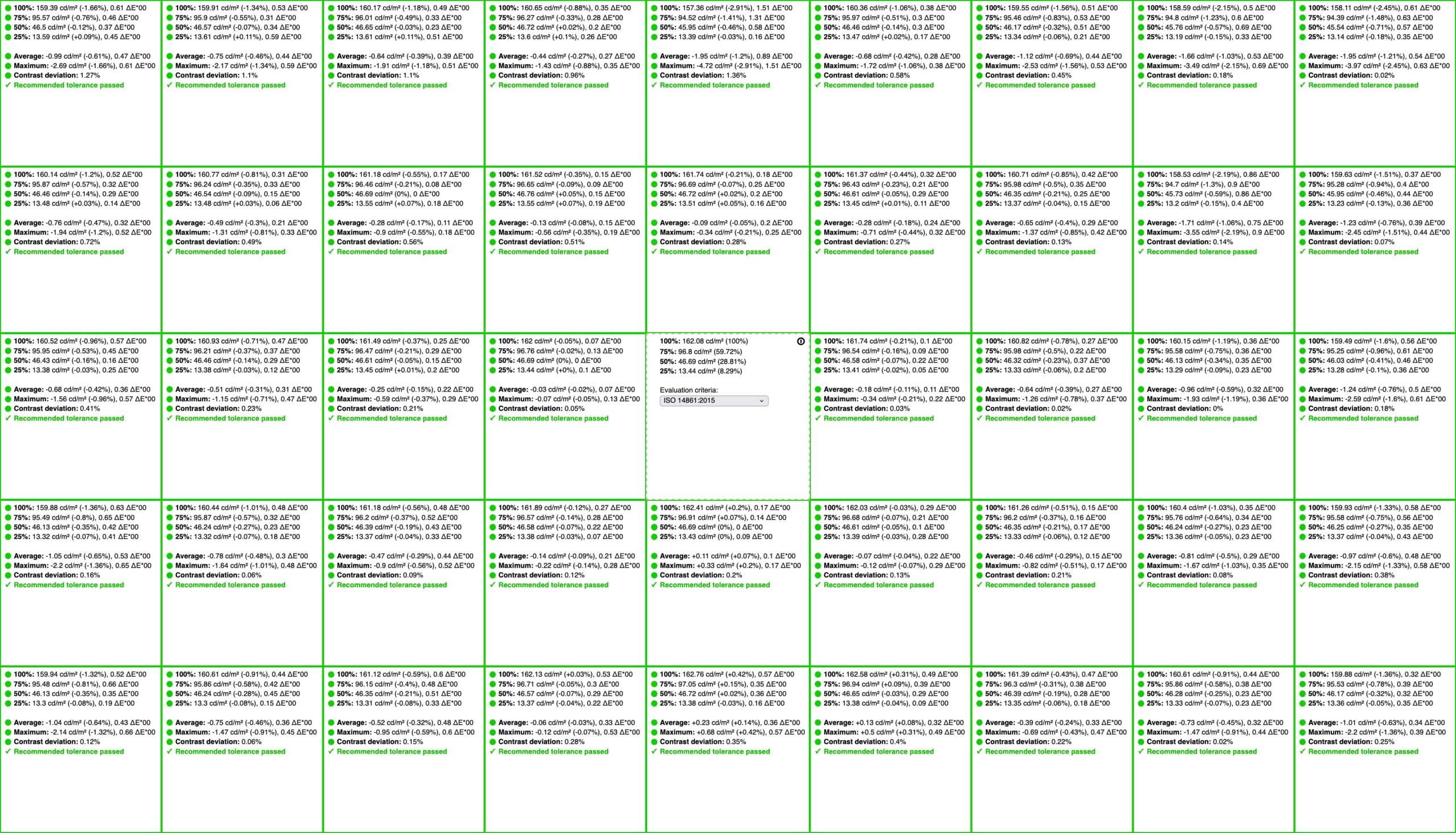
Given my colleague’s vast experience and combining that with six years of display testing of my own, I have no qualms about making this statement: the Apple MacBook Pro with PROLED has the best display you can buy right now. You will not likely find another monitor on the market that will come, out of the box, capable of this level of color accuracy combined with this level of peak brightness, contrast ratio, and panel uniformity, and you certainly will not find another laptop that hits these marks either.
This is a remarkable display.
Ok Yeah, You Can Touch It
Alright yes, you can touch this display. No, it’s not really very ergonomic to do so. Lack of Apple Pencil support is weird, trying to play the digital piano in Logic Pro with your fingers pointed straight out in front of you is extremely uncomfortable, and the entire experience doesn’t feel like it has been tailored for touch much at all. Sure, you could argue that the improved hinge shows an effort to do something that would make touch feel intentional. Sure, but while the hinge may be stiffer, that stiffness doesn’t prevent it from giving a bit at your touch, resulting in a sort of bouncy experience. I don’t really notice a difference in how it feels in practice and since you can’t fold the display over and allow it to lay flat, I find myself not touching this display ever.
This is not an Apple-specific problem either. I have used and reviewed multiple PCs that support touch and I don’t like touching those either. I’m sorry, but Steve Jobs was right: leaning forward and touching a laptop screen in front of you is not particularly pleasant and you will find yourself with fatigue very quickly.
If there was one argument about touch being thoughtfully implemented, it would be related to the Dynamic Island and closing windows.
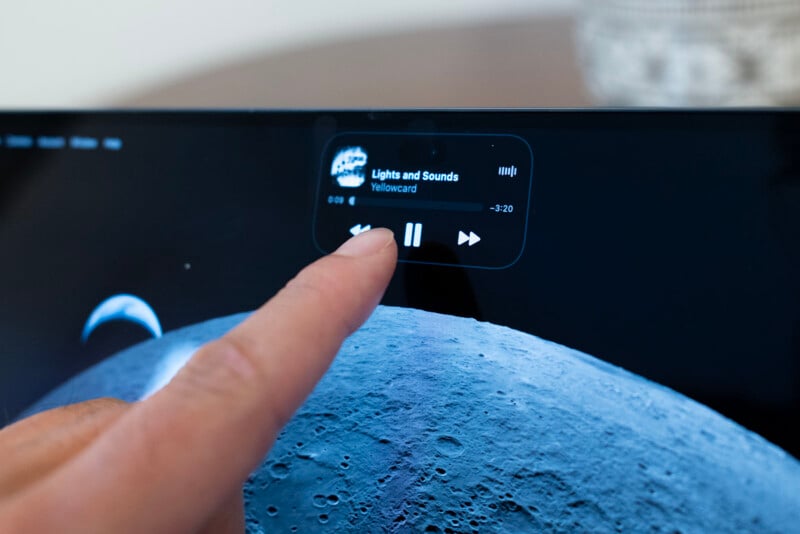
I do like the move away from the notch and toward Dynamic Island. I had sort of visually ignored the notch for the last few years and I straight up don’t even see the little oval hole where the webcam is at all since it lives in the darkness of the top menu bar. It’s neat to have some support for the visual flair of dynamic island, but you don’t have to touch it to engage with it and I typically don’t. The experience is not worse when I’m not using my index finger.
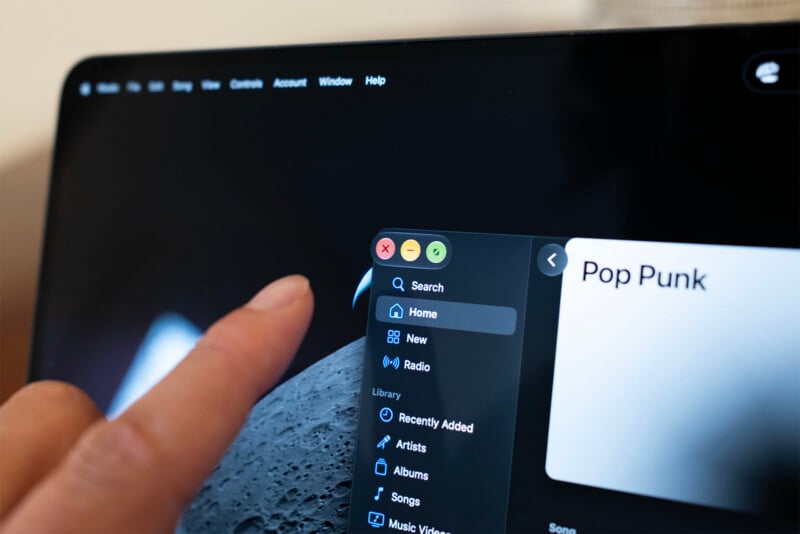
Tapping over to the upper-left-hand corner of windows has been optimized for touch because as you might expect, it can be difficult to hit the tiny target that is the red close circle. To that end, Apple made it so that when you tap over there, it doesn’t just immediately perform the action but rather magnifies that corner so it is easier to hit the exact button you want. This does largely prevent you from accidentally closing a window when you want to minimize it.
The benefits of this display aren’t really tied to the fact you can touch it, so none of these quibbles really matter. If you don’t want to touch it, don’t. If you really want to take away the choice, you can straight-up disable touch in Accessibility settings. But a display this good deserves to be crystal clear, and if I’m going to say no to Nano Texture to maximize the viewing experience, I’m going to say no to touching the display and leaving smudges on it, too.
Apple M5 Max MacBook Pro with PROLED Review: The Best Got Better
In March, my review of the M5 Max MacBook Pro heaped on the praise, with the two caveats being less than perfect display performance and a complaint about how heavy the 16-inch version is.
I’ve sort of painted myself into a corner here as far as scoring goes, because Apple specifically addressed both those complaints with the PROLED version. This is absolutely a better computer, it just costs $400 more. I don’t want to dismiss that $400 is not a small amount of money, but when you’re looking at spending $2,000 to $3,000 minimum (and you could spend a lot more to maximize performance), it doesn’t seem like a lot to ask for the gravity of the benefits. If those things that bothered me in that last review also bother you, then $400 seems like a reasonable cost to address them.
The last time Apple went out of its way to make the MacBook Pro thinner and lighter, it also introduced the touch bar and the result was objectively the worst MacBook Pro ever made. It took away ports, had abysmal performance, and the biggest feature sucked.
This time, Apple once again made the MacBook Pro thinner and lighter than its predecessor, but the performance didn’t dip and the biggest feature is simply irrelevant. You have to chuckle a little bit at this result, but the broader picture is still a net positive.
Ironically, despite specifically saying the speakers sound better when the lid is closed, if you’re the kind of user who is going to care about how much better the speakers are when the lid is closed, then you probably shouldn’t buy this computer. It’s not giving you $400 of added value acting as a glorified Mac Studio sitting on a desk in your office. That value is only earned if you plan to look at the display.
Are There Alternatives?
This is one of those rare times where Apple is giving you a true alternative that you can buy, brand-new, directly from the company’s website. The “standard” MacBook Pro with M5 Max is, performance-wise, identical to this new PROLED version. For $400 off, you are still getting an outstanding computer. It just weighs a bit more, is a just a hair larger, and doesn’t have as good of a display. It also doesn’t have touch control support, if that is meaningful to you.
I do think that this is the exception to what will be a return to the rule, however: do not expect to have both an LCD and OLED option when Apple refreshes the MacBook Pro with M6 Max, either next year or the year after. I think you should fully expect that the $400 premium is going to become the only option. So if you really don’t care about this display or the weight savings, then this might be the last chance you’ll have to get a slightly less expensive, expensive computer.
Should You Buy It?
Yes. The MacBook Pro with M5 Max was already a full recommendation, but Apple went and fixed the two complaints I had about that computer with this new PROLED model. I can’t find a flaw with this machine, and if you can afford it and need the performance it offers, then there is no reason not to take the plunge. And remember: you don’t have to touch it.
Affiliate Disclosure PetaPixel articles may include affiliate links; we may earn a commission if you buy through one.